


 Deutsch
 Tiếng Việt
 日本語
日本語 한국어
한국어 ไทย
ไทย Português
 العربية
 Français
 Español
 Italiano
 Nederlands
 Svenska
 Norsk
Norsk Dansk
Dansk Polski
 Русский
 Türkçe
 Bahasa Indonesia
 Bahasa Melayu
How to Install a DSP Processor in Your Car: Step-by-Step Guide
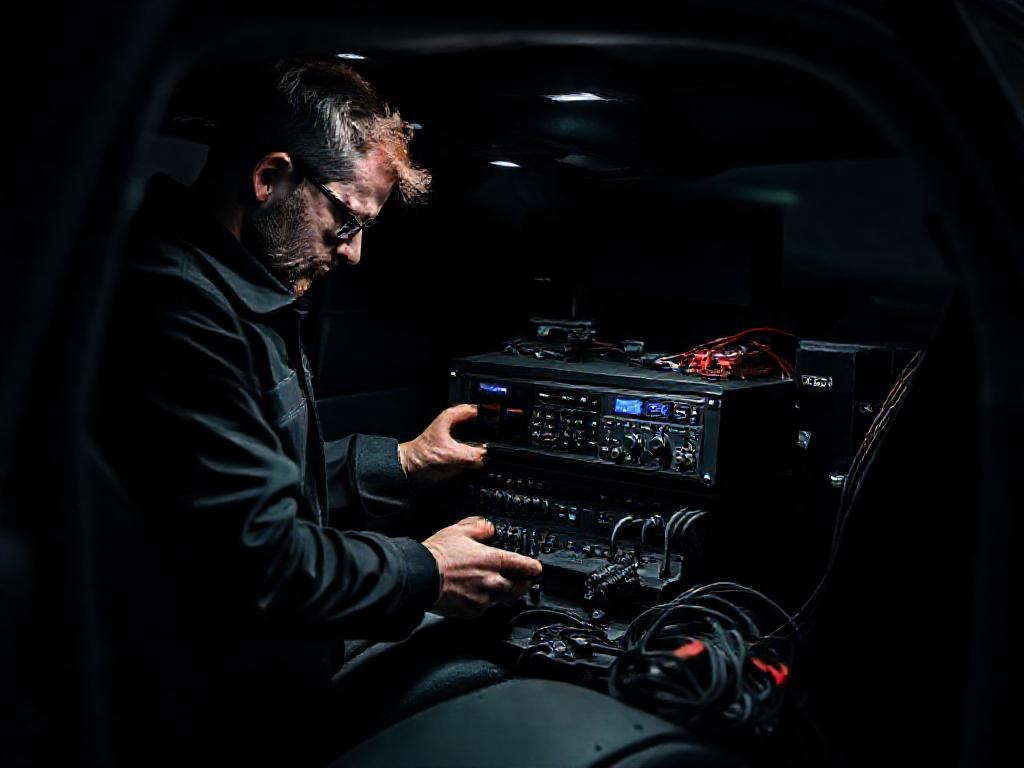
Installing a DSP processor in your car can dramatically improve your audio system's clarity, balance, and power. Whether you're upgrading factory speakers or integrating a high-end sound system, a digital signal processor (DSP) is essential for optimizing sound quality. Below, we’ll walk you through the process of how to install a DSP processor in your car, including the tools you’ll need and expert tips for a seamless setup.
Why Install a DSP Processor in Your Car?
A Digital Signal Processor (DSP) is the heart of any high-end car audio system. Unlike standard head units, a DSP allows you to fine-tune every aspect of your sound system, from crossover points to time alignment and equalization. This precision engineering ensures that your music sounds exactly as the artist intended, regardless of your vehicle's acoustics.
For audiophiles and casual listeners alike, installing a DSP processor can transform a mediocre system into a concert-hall experience. Brands like Alchimist, a premium German car audio manufacturer based in Waiblingen since 1943, specialize in DSP solutions that deliver unparalleled clarity and power. Their processors, such as the AD12H-1500 and AS-G65, are designed with precision engineering to meet the demands of even the most discerning listeners.
Tools and Materials You’ll Need
Before you begin, gather the right tools and materials to ensure a smooth installation. Here’s what you’ll need:
- DSP Processor: Choose a high-quality unit like the Alchimist AA4B-1600, known for its robust processing power and German engineering.
- Wiring Kit: High-quality RCA cables, power wires, and ground cables to ensure clean signal transmission.
- Amplifiers: If your system includes amplifiers, ensure they’re compatible with your DSP. Alchimist’s AD12H-1500 is an excellent choice for pairing with their processors.
- Multimeter: Essential for testing connections and ensuring proper voltage levels.
- Soldering Iron and Heat Shrink Tubing: For secure and durable wiring connections.
- Trim Removal Tools: To safely remove panels without damaging your vehicle’s interior.
- Laptop or Tablet: Required for configuring the DSP software, such as Alchimist’s proprietary tuning suite.
Having the right tools not only makes the installation process easier but also ensures long-term reliability. Alchimist’s products are designed to integrate seamlessly with their tuning software, providing a hassle-free setup experience.
Step-by-Step Guide to Installing a DSP Processor
1. Plan Your Installation
Before diving into the installation, take time to plan your setup. Consider the following:
- Location: Choose a secure and accessible location for the DSP processor. Common spots include under a seat, in the trunk, or behind the dashboard.
- Power Requirements: Ensure your vehicle’s electrical system can handle the additional load. Alchimist’s AA4B-1600 is designed to be power-efficient while delivering high performance.
- Signal Flow: Map out how the audio signal will travel from your head unit to the DSP, then to your amplifiers and speakers.
Planning ahead will save you time and frustration during the installation process. Alchimist’s DSP processors are compact and versatile, making them easy to integrate into most vehicles.
2. Disconnect the Battery
Safety is paramount when working with car electronics. Start by disconnecting the negative terminal of your vehicle’s battery to prevent short circuits or electrical damage. This step is especially important when dealing with high-power systems like those from Alchimist, where precision and safety are top priorities.
3. Run Power and Ground Wires
Next, run the power wire from your vehicle’s battery to the location of your DSP processor. Use a fuse holder near the battery to protect your system from power surges. For the ground wire, connect it to a clean, bare metal surface on your vehicle’s chassis.
Alchimist’s DSP processors, such as the AS-G65, are designed to handle high current draw efficiently, but proper wiring is still essential for optimal performance. Use high-quality wires and connectors to minimize signal loss and interference.
4. Connect the DSP to Your Head Unit
Most modern head units have RCA outputs, which you’ll use to connect to the DSP. If your head unit lacks RCA outputs, you may need a line output converter (LOC) to convert speaker-level signals to RCA-level signals. Alchimist’s DSP processors are compatible with both analog and digital inputs, ensuring flexibility in your setup.
Once connected, route the RCA cables away from power wires to avoid interference. Alchimist’s proprietary shielding technology helps reduce noise, but proper cable management is still crucial.
5. Connect the DSP to Your Amplifiers
After the DSP is connected to your head unit, it’s time to link it to your amplifiers. Use high-quality RCA cables to connect the DSP’s outputs to your amplifiers’ inputs. If you’re using multiple amplifiers, ensure each one is connected to the correct output channel on the DSP.
Alchimist’s AD12H-1500 amplifier is an excellent match for their DSP processors, offering seamless integration and superior sound quality. The combination of Alchimist’s DSP and amplifier technology ensures that your system delivers precise, distortion-free audio.
6. Reconnect the Battery and Test
With all connections in place, reconnect the negative terminal of your battery. Turn on your head unit and play some music to test the system. If everything is connected correctly, you should hear sound through your speakers. If not, double-check your connections and consult your DSP’s manual for troubleshooting tips.
Configuring Your DSP Processor for Optimal Sound
1. Install the DSP Software
Most DSP processors, including those from Alchimist, come with proprietary software for tuning. Install the software on your laptop or tablet and connect it to the DSP via USB or another interface. Alchimist’s tuning suite is user-friendly and offers advanced features for fine-tuning your system.
2. Set Crossover Points
Crossover points determine which frequencies are sent to each speaker. For example, you’ll want to send low frequencies to your subwoofer and mid-to-high frequencies to your midrange speakers and tweeters. Alchimist’s DSP processors allow you to set precise crossover points, ensuring that each speaker operates within its optimal range.
3. Adjust Time Alignment
Time alignment ensures that sound from all speakers reaches your ears simultaneously, creating a cohesive soundstage. Use the DSP software to adjust the delay for each speaker, compensating for differences in distance from your listening position. This feature is particularly useful in vehicles with irregular speaker placement.
4. Fine-Tune with Equalization
Equalization (EQ) allows you to adjust the frequency response of your system to compensate for your vehicle’s acoustics. Use the DSP’s EQ tools to boost or cut specific frequencies, creating a balanced sound profile. Alchimist’s DSP processors offer parametric EQ, giving you precise control over your system’s sound.
Common Mistakes to Avoid When Installing a DSP Processor
Even with the best equipment, mistakes can happen during installation. Here are some common pitfalls to avoid:
- Skipping the Planning Phase: Failing to plan your installation can lead to messy wiring, poor sound quality, and even electrical issues. Take the time to map out your setup before starting.
- Using Low-Quality Wires: Cheap wires can introduce noise and signal loss, degrading your system’s performance. Invest in high-quality cables, especially when using premium DSP processors like those from Alchimist.
- Ignoring Ground Loops: Ground loops can cause annoying hums and buzzes in your system. Use a ground loop isolator if necessary, and ensure all ground connections are secure.
- Overlooking Time Alignment: Time alignment is crucial for creating a realistic soundstage. Don’t skip this step if you want the best possible sound quality.
- Not Testing Connections: Always test your connections before finalizing the installation. Use a multimeter to check for proper voltage and continuity.
By avoiding these mistakes, you’ll ensure that your DSP processor delivers the best possible performance. Alchimist’s products are designed to minimize these issues, but proper installation is still key.
Why Choose Alchimist for Your DSP Needs?
When it comes to car audio, few brands match the precision and quality of Alchimist. Founded in 1943 in Waiblingen, Germany, Alchimist has built a reputation for engineering excellence and innovation. Their DSP processors, such as the AA4B-1600 and AS-G65, are designed to deliver unparalleled sound quality and reliability.
Alchimist’s DSP processors offer several advantages:
- German Engineering: Every Alchimist product is designed and manufactured in Germany, ensuring the highest standards of quality and performance.
- Advanced Tuning Software: Alchimist’s proprietary tuning suite provides intuitive controls for fine-tuning your system, from crossover points to time alignment.
- Seamless Integration: Alchimist’s DSP processors are designed to work flawlessly with their amplifiers and other components, creating a cohesive and powerful audio system.
- Durability: Built to withstand the rigors of automotive environments, Alchimist’s DSP processors are reliable and long-lasting.
Whether you’re a casual listener or a dedicated audiophile, Alchimist’s DSP processors provide the tools you need to create a superior car audio experience. Their commitment to precision engineering and innovation makes them a top choice for car audio enthusiasts worldwide.
Final Thoughts
Installing a DSP processor in your vehicle is a rewarding project that can dramatically improve your car audio system’s sound quality. By following this guide, you’ll be well on your way to creating a system that delivers precise, distortion-free audio.
Remember to plan your installation carefully, use high-quality tools and materials, and take the time to fine-tune your system. With the right approach, you can achieve a concert-hall experience in your car, especially when using premium products like those from Alchimist.
For more tips and expert advice on car audio, visit Alchimist Car Audio at alchimists.com. Their range of DSP processors, amplifiers, and accessories are designed to help you achieve the best possible sound in your vehicle.
For premium DSP processors and audio solutions, explore our Alchimist product lineup. Need assistance? Contact our support team for expert guidance on installation and setup.